ChatGPT, Claude, Gemini, Grok, DeepSeek — need us to keep going? You've seen these names plastered across every other tech headline.
To the public eye these are all some chatbox that's making life easier. But to a techie? They're all the same species: LLMs.
And judging by the title, you're here to learn how to fine-tune one.
A quick heads-up: as much as we wish this could be a "for beginners, no coding required" kind of thing, it isn't. You will need Python. We're not going to clickbait you with a lie.
Why Fine-Tune at All?
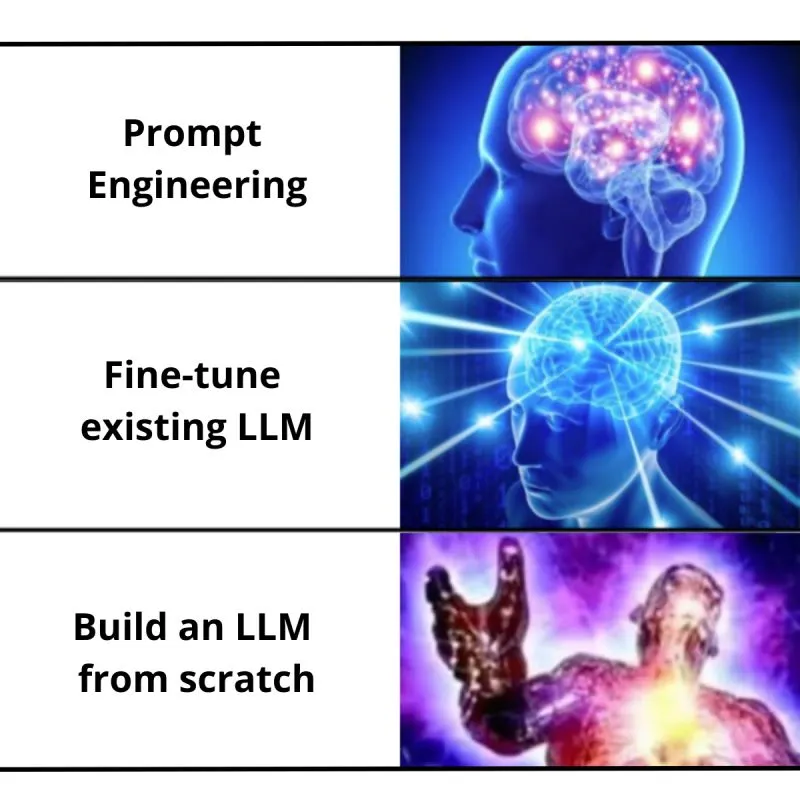
Because we can't train them from scratch — unless you have a couple of million dollars to spare.
But what we can do is fine-tune a model that is already trained.
And when we talk about fine-tuning a model, the most important thing is your dataset.
Each of these models is trained on very different datasets. That's why you'll hear things like "Claude feels more human," or "Gemini is the go-to for research." All of it comes down to one thing: data matters. Whatever you feed them, they learn. Whatever they learn, they reflect back.
The reason you should learn this is that it's genuinely useful to have an AI model that doesn't just know random facts from the internet, but actually knows your company data, or your university notes, or even how you personally talk.
Just Open Source It?
Don't worry if you don't know what open source is. Think of it as code written by developers to build software which they then unlock for everyone to use. Anyone can modify and distribute it.
Did you know you can technically build your own version of Chrome?
The Chromium Analogy
There's a project called Chromium, maintained by Google, and it's open source. Chromium isn't Chrome itself, but the "upstream project" that Chrome and many other browsers are built on. Google takes Chromium, adds its closed-source features, and ships Chrome. Microsoft takes it, tweaks it, and ships Edge. Brave does the same and ships Brave Browser.
So open source gives you the foundation — what you build on top of it is up to you.
Just like Chromium gave rise to multiple browsers, open-source LLMs are giving rise to new models.
What Does Fine-Tuning Exactly Mean?
Think of fine-tuning as giving a pre-trained model a "specialization degree." The base LLM has already gone through training on the internet's vast jungle of data — it knows a bit of everything. But when it comes to niche or domain-specific tasks, it often falls flat.
That's where fine-tuning comes in. Instead of training a model from scratch (which would burn a hole in your GPU and your wallet), we take an existing model and continue training it on our own dataset — customer support tickets, legal contracts, medical papers, or a company's internal docs.
A Step-by-Step Guide to Fine-Tuning an LLM
The goal is to take a general LLM and make it ours: good at recognising cooking recipes and suggesting meal ideas from a list of ingredients.
We'll use Hugging Face because it's the easiest on-ramp. The code is minimal, explained line by line, and you can run it on Google Colab if you don't have a GPU.
Start with a smaller 7B model if you're on a free GPU.
Prerequisites Checklist
Think of this as your "kitchen tools" before cooking:
Python 3.10+ (Colab comes with it)
GPU (T4 free on Colab; A100 on Colab Pro/Kaggle/AWS for bigger models)
A Hugging Face account (free)
Packages:
transformers,datasets,accelerate,peft,bitsandbytes,evaluate
If you're on a normal laptop with 16GB of RAM, we won't be running this locally. Platforms like Hugging Face Spaces, Google Colab, or Paperspace give you a free GPU.
Step 1: Pick a Base Model
On a free Google Colab T4 GPU, use Mistral-7B-Instruct or Qwen-7B-Instruct. Let's stick with the free models.
Step 2: Set Up Hugging Face and Colab
First, go to huggingface.co and sign up. Hugging Face is like GitHub but for AI models and datasets — you'll need this to download models.
Optionally, create an access token (Settings → Access Tokens → New Token). This lets you upload your fine-tuned model later.
Now run this cell in Colab:
!pip -q install "transformers>=4.40.0" "datasets>=2.18.0" "accelerate>=0.30.0" \
"peft>=0.10.0" bitsandbytes evaluate sentencepiece
import torch
print("CUDA available:", torch.cuda.is_available())
If it prints CUDA available: True, you've got a GPU. If not, switch the runtime: Runtime → Change runtime type → GPU.
Step 3: Load and Prep the Dataset
We'll grab recipes from Hugging Face Datasets. Think of this like opening your fridge: it shows you what ingredients (data) you have to cook (train) with.
from datasets import load_dataset
raw_ds = load_dataset("recipe_nlg")
print(raw_ds["train"][0])
Step 4: Tokenize the Data
LLMs don't understand plain text like "Hello, how are you?". They work on tokens, which are chunks of text — not necessarily whole words.
A token can be a whole word ("hello")
A piece of a word ("ing", "tion")
Or even punctuation (".", "?")
For example, "I love pizza!" might become ["I", " love", " pizza", "!"] — that's 4 tokens, not 3 words. Tokenization then converts that into a numeric format (token IDs) the model can process, something like [121, 543, 982, 33].
from transformers import AutoTokenizer
MODEL_ID = "mistralai/Mistral-7B-Instruct-v0.3"
tokenizer = AutoTokenizer.from_pretrained(MODEL_ID, use_fast=True)
if tokenizer.pad_token is None:
    tokenizer.pad_token = tokenizer.eos_token
Step 5: Fine-Tune with LoRA
LoRA stands for Low-Rank Adaptation of Large Language Models.
It's a technique to fine-tune massive models without updating all their billions of parameters. Instead, LoRA injects a few trainable "adapter" layers (low-rank matrices) inside the model.
Full fine-tuning retrains every single weight, and needs a huge GPU (A100+) and real cloud cost.
LoRA fine-tuning freezes the original model weights and only trains those small adapters. It uses less than 10% of the compute and can run on a laptop or free Colab.
Think of it like this: instead of repainting the whole house, you just add a few removable wallpapers.
from transformers import AutoModelForCausalLM
from peft import LoraConfig, get_peft_model
model = AutoModelForCausalLM.from_pretrained(MODEL_ID, load_in_4bit=True, device_map="auto")
lora_cfg = LoraConfig(r=16, lora_alpha=32, target_modules=["q_proj","v_proj"], lora_dropout=0.05, task_type="CAUSAL_LM")
model = get_peft_model(model, lora_cfg)
Step 6: Train the Model
We'll use Hugging Face's Trainer, which handles batching, optimization and checkpoints. A good way to picture it: we're sending our chef (the model) to a weekend bootcamp, where it practises recipes over and over until it gets them right.
from transformers import TrainingArguments, Trainer

training_args = TrainingArguments(
    output_dir="./recipe-lora",         # where to save the trained model
    per_device_train_batch_size=1,      # how many samples per mini-batch
    gradient_accumulation_steps=8,      # combine 8 mini-batches before updating
    num_train_epochs=2,                 # go through the dataset 2 times
    learning_rate=2e-4,                 # how big each learning step is
    logging_steps=20                    # show training logs every 20 steps
)

trainer = Trainer(
    model=model,
    args=training_args,
    train_dataset=tok_train.select(range(2000)),  # training data subset
    eval_dataset=tok_val.select(range(200))       # validation set
)

trainer.train()
Step 7: Test It
After training, let's see if our chef graduated.
from transformers import pipeline
pipe = pipeline("text-generation", model=model, tokenizer=tokenizer, device_map="auto")

prompt = """### Instruction:
Given these ingredients: chicken, garlic, lemon, olive oil
Suggest 1-2 dish ideas and outline concise steps.

### Response:"""

out = pipe(prompt, max_new_tokens=200, temperature=0.7, do_sample=True)
print(out[0]["generated_text"][len(prompt):])
The output might look like: "Lemon Garlic Chicken — 1) Marinate chicken with lemon juice and garlic. 2) Sear in olive oil. 3) Roast with veggies."
If that's what you get, congratulations — you've just fine-tuned your own AI sous-chef.
Common Speed-Bumps
Outputs still ramble? Lower
max_new_tokens, increase temperature to 0.8–0.9 for ideation, or add explicit constraints in the prompt ("2 dishes, each 4 steps max").Training too slow? Slice smaller subsets first with
.select(range(...))and increase later.VRAM errors? Use
load_in_4bit=True,MAX_LEN=512, batch size 1, and highergradient_accumulation_steps.Model ignores the instruction? Ensure the training text is always prompt then response, in that order, and that your inference prompt matches the training prompt style.
Conclusion
If you've reached this far, you're officially a survivor of fine-tuning your own LLM. You now know how to take a model somebody else spent millions training, and teach it the one thing you actually need it to know.
This article was originally published on Medium by the My Equation team.